Blog · How-to
Shorts Aspect Ratio Explained: Fitting Landscape into Vertical
A Short is a tall, vertical screen. There are two ways to put a landscape video into it: crop in so it fills the screen, or place the entire landscape video in the middle of the vertical frame.
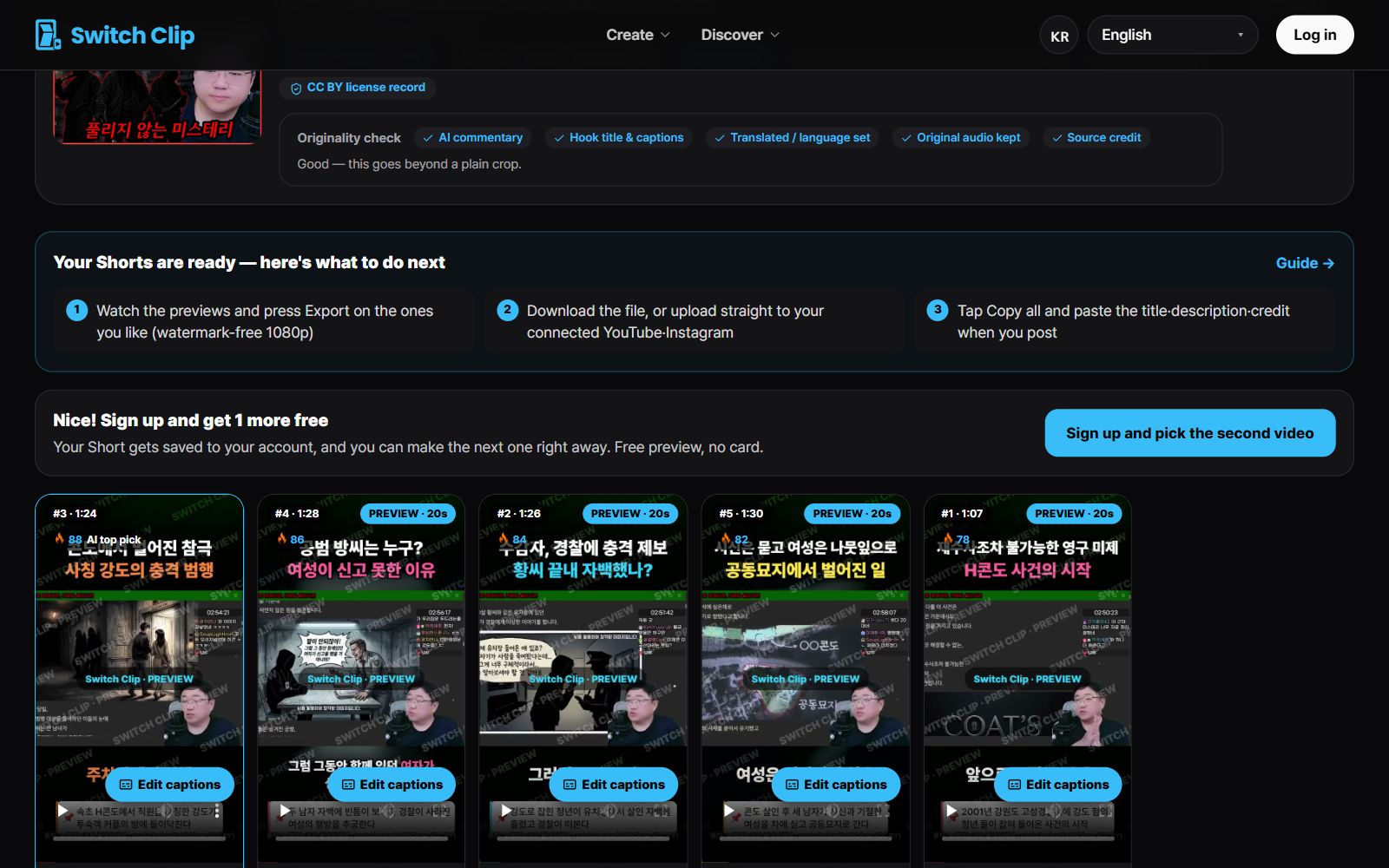
Which scenes suit which approach
- Crop in: one person talking, or a single object being shown
- Full frame: several people on screen, screens with lots of captions or text, wide landscapes
- With full frame, the space left above and below is used for the title and captions.
You don't have to choose yourself
Switch Clip automatically picks the approach that fits the video. There's no need to set ratios by number or mark a crop area. You can check the result right away in the preview.
What to check in the preview
- 1
Look at the edges
See that no face or important object has slipped out of frame.
- 2
Look at the text
See that any text in the original footage is readable.
- 3
Look at caption placement
See that the captions aren't covering an important part of the scene.
Pick a video, get up to 6 Shorts
Switch Clip gathers videos you are allowed to reuse and public-domain classics. Pick one and you get Shorts with captions, a title, commentary and the credit line. Your first one is free, no sign-up.
Make a Short for freeFrequently asked questions
Can a square video be made into Shorts?
Yes, by uploading your own video file. Check in the preview how it sits in the vertical frame.
What if the top and bottom look empty?
With the full-frame approach, the title and captions go in that space. So it doesn't look empty.
What about video shot vertically?
Vertical video fills the screen as it is. There's nothing to adjust.